

Teams Phone or Zoom?

It depends less on the technology than you think.
“Should we choose Teams Phone or Zoom Phone?” We hear that question a lot. Both platforms are mature and reliable. The wrong choice is the one that doesn’t fit the way your organisation works.
Below you’ll find where the differences are, and which questions to ask before you choose.
What are Teams Phone and Zoom Phone?
Both are cloud telephony, built into a collaboration environment. You call from the same app you use to chat and meet, on your laptop, your mobile or a desk phone. You no longer need a phone system in the office.
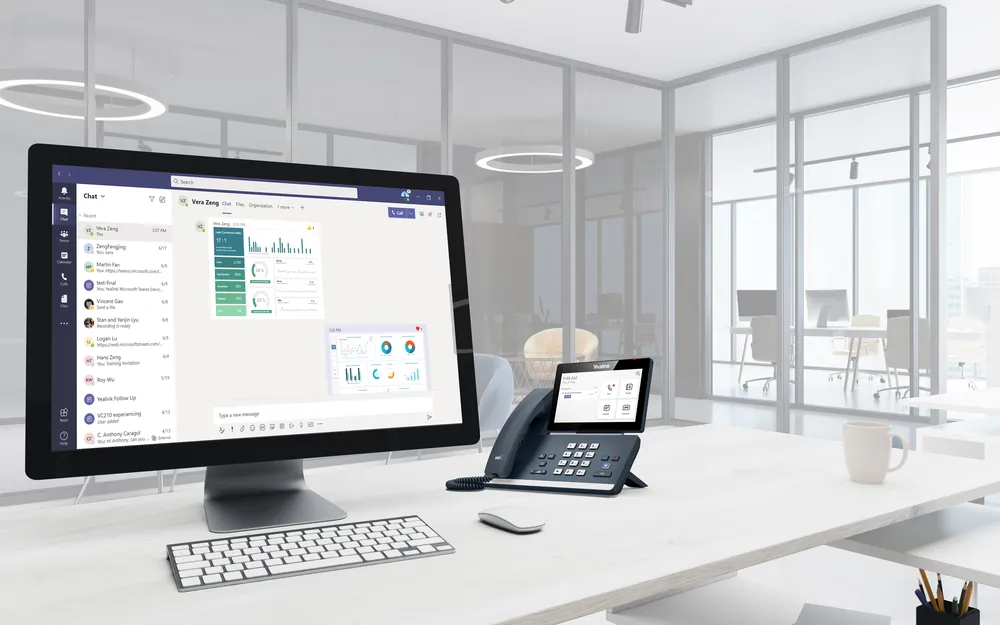
MicrosoftTeams Phone
The calling feature of Microsoft Teams, part of Microsoft 365. Calling, chat and meetings in one app.
More about Teams Phone →

ZoomZoom Phone
The calling feature of Zoom Workplace. Calling, chat and meetings in one Zoom environment.
More about Zoom Phone →The advantage of both: a call becomes a video call in one click, and you can see whether a colleague is available before you transfer.
Six things to compare side by side.
Where do your people work today?
Does your organisation work in Microsoft 365 all day? Then Teams Phone is the obvious step. Does the work happen in Zoom? Then Zoom Phone is often more natural. Choose calling in the platform people already use.
More about Unified Communications →What do you already pay for?
Some Microsoft 365 plans already include Teams Phone; with others you add it. With Zoom, it depends on your Zoom Workplace plan. Start by mapping what you already have.
More about licences →Which route do your calls take?
You can usually keep your numbers. With Teams you choose between Microsoft, an operator (Operator Connect) or your own SBC (Direct Routing). With Zoom you use Zoom numbers or connect your own provider.
More about voice and connectivity →What does your customer contact look like?
How do queues and opening hours work? Do you want chat, email or WhatsApp too? And where do you use AI, such as an AI receptionist? The more complex your customer contact, the more this matters.
More about contact center and AI →Which systems should it talk to?
Do you want the customer record to open on an incoming call, or call with one click from your CRM? Check which integrations exist for Dynamics 365, Salesforce, HubSpot, AFAS or Exact.
More about integrations →What’s on desks and in rooms?
Choose phones, headsets and conference phones certified for your platform. And check whether your meeting rooms fit Teams or Zoom.
More about meeting rooms →Meeting in Zoom, collaborating in Teams.
That’s more common than you might think. It works, but every combination makes things a little more complex for users and IT.
For calling, preferably choose the platform where most of the work happens, and consider moving to one platform over time.
Seven questions before you choose.
- PlatformWhich platform do your people work in all day?
- LicencesWhich licences do you already have, and what do they include?
- Numbers and contractsWhich numbers and contracts do you have, and when do they end?
- Fixed and mobileDo you want to combine fixed and mobile calling?
- Customer contactReception, queues, contact center or AI: what do you need?
- IntegrationsWhich systems should your telephony work with?
- Devices and roomsWhich devices and meeting rooms need to fit in?
If you can answer these questions, the choice is often almost made.
The checklist as a PDF.
Handy to take to your meeting or pass on to a colleague. Enter your name and email address and the PDF opens right away.
We only use your details to give you the checklist and, at most, to ask you once whether it helped. Read more in our privacy statement.
We choose what fits you.
We first look at where things are stuck, then advise independently: Teams Phone, Zoom Phone or a combination. We also guide you through implementation and management, with one single point of contact.